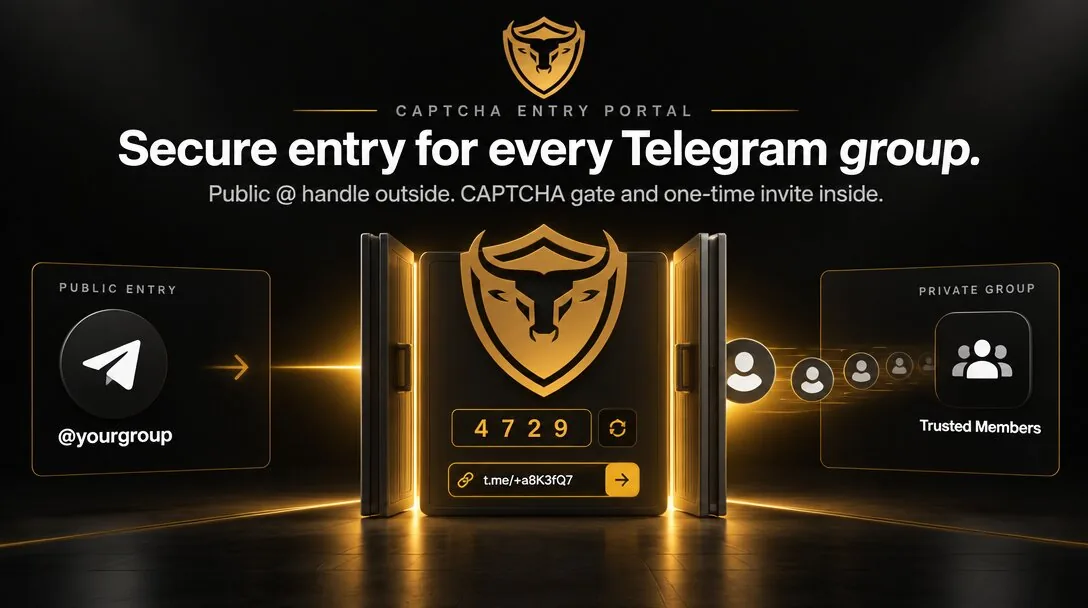
Answer first: BeefyGuard Multi-Portals let one publicly discoverable Telegram chat (with a public @) unlock several private chats after CAPTCHA. Verified people get a one-time invite per destination. That keeps announcements, VIP, and support rooms separate without running multiple public usernames.
For the basics of Portals as CAPTCHA entry (not admin authenticity checks), see What are BeefyGuard Portals?.
What Multi-Portals are
A Portal is a CAPTCHA entry layer on a public-facing Telegram chat. After someone passes verification, BeefyGuard issues a one-time invite into a private group.
Multi-Portals extend that idea: several private destinations can sit behind one public entry message. Visitors still find a single @. After CAPTCHA, they choose (or are routed to) the private room they need.
Important boundaries:
- Portals control entry. They do not prove that an account is a real admin or support agent.
- BeefyGuard never asks for wallets, seed phrases, or private keys. Official flows stay on beefyguard.com and
@beefyguard_bot.
Product surface: Features. Plans: Pricing.
When one public @ and several private chats make sense
Many crypto and Web3 teams outgrow a single room. Common split:
| Private room | Why it is separate | |--------------|--------------------| | Announcements / discussion | High signal, lower noise | | VIP or holders | Gated access, different norms | | Support intake | Ticket-like flow, fewer lurkers |
Without Multi-Portals, teams often:
- Keep every room public (easy to find, easy to scrape and DM), or
- Run several public
@handles (confusing brand surface), or - Share long-lived private invite links (those links leak into chats, screenshots, and scrapers)
Multi-Portals keep one discoverable front door and many gated rooms.
How the flow works
- Someone finds your public entry chat via the public
@or a shared link. - They complete CAPTCHA through the Portal.
- The entry offers access to one or more private chats (your Multi-Portal destinations).
- BeefyGuard generates a one-time invite link for the chosen private chat.
- That invite expires on use, so forwarding it does not create an open door forever.
Owners convert the real communities to private groups, leave the public chat as the discoverable Portal host, and point verified traffic into the right private rooms.
One-time invites vs sticky invite links
A classic private-group invite is a durable URL. Once it hits Twitter, Discord, or a screenshot, anyone who finds it can join until you revoke it.
One-time Portal invites shrink that failure mode:
- Use once, then dead. Forwarding after join does not keep the link alive.
- Issued after CAPTCHA. Casual scrapers do not get free private-room access from a public homepage alone.
- Per destination. Announcement, VIP, and support each get their own gated path from the same public
@.
This does not stop a determined human who passes CAPTCHA and joins. It does cut casual harvesting of persistent invite links and drive-by browsing of private chat content.
Multi-Portals vs a single private group
| Approach | Strength | Weakness |
|----------|----------|----------|
| One private group + one Portal | Simple ops | Announcements, VIP, and support compete in one room |
| Several public groups | Easy discovery per room | Content and members stay browseable; more DM surface |
| Multi-Portals | One @, several private rooms | Slightly more setup and room design upfront |
Choose Multi-Portals when room purpose differs enough that mixed traffic hurts signal, privacy, or support quality. Stay on a single private group when the community is still small and one conversation is enough.
Practical layout for owners
A setup that works well for many projects:
- Keep one public chat with the branded
@as the only discoverable entry. - Convert announcements discussion, VIP, and support (or regional) rooms to private.
- Place one Portal entry message that offers those destinations.
- Use one-time invites for every join path.
- Pair entry control with anti-impersonation in the rooms that matter, and teach members how to verify Telegram admins.
For a broader hardening list, use the community security checklist.
FAQ
Are Multi-Portals the same as verifying admins?
No. Multi-Portals are CAPTCHA entry into private chats. They do not verify that someone is a real admin. Treat lookalike usernames and profile-photo clones as a separate problem. See How to verify Telegram admins.
Can one public Telegram username unlock several private chats?
Yes. That is the Multi-Portals pattern: one public entry chat with a public @, CAPTCHA once, then one-time invites into multiple private destinations.
Do one-time invites stop all invite-link leaks?
They greatly reduce the damage from shared or scraped links, because a used invite does not stay valid. They do not stop someone who completes CAPTCHA and joins legitimately.
Does BeefyGuard ask for wallets or seeds?
No. Official BeefyGuard never asks for seed phrases, private keys, or wallet connects. Start from @beefyguard_bot or beefyguard.com.
Where do I configure Portals and Multi-Portals?
See Features, Pricing, and the docs.
Bottom line
If you need one public Telegram @ and several private rooms (announce, VIP, support), Multi-Portals are the clean pattern: CAPTCHA on a public front door, then one-time invites into each private chat. Start with @beefyguard_bot or beefyguard.com.
Related reading: Portals overview · Public @ + private group strategy